
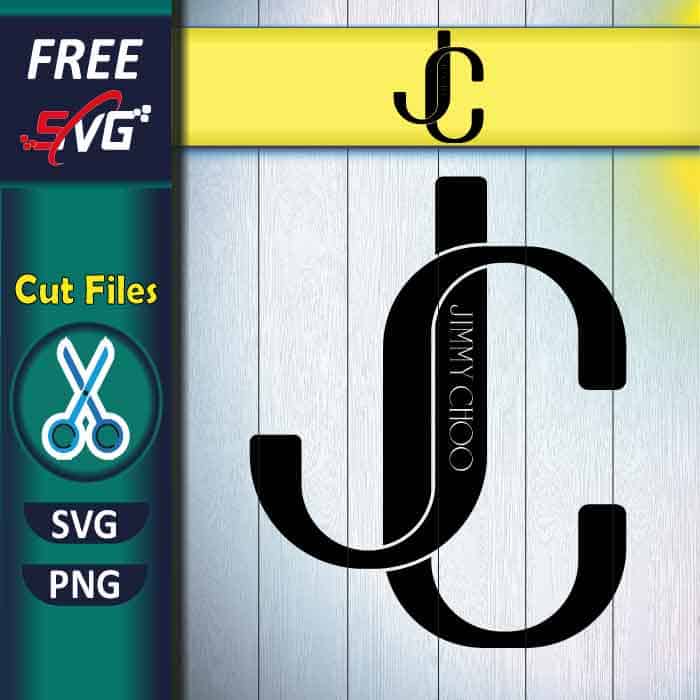
Free Jimmy Choo Logo SVG for Cricut – elegant fashion brand monogram cut file. Designer JC typography for vinyl cutting, HTV projects & luxury crafts.
Note: Files are not compressed. No need to decompress; you can use them directly.
Please read the description for important usage informationDescription
Jimmy Choo Logo SVG free | fashion Jimmy Choo svg free
Transform your crafting with this stunning Jimmy Choo Logo free SVG cut file featuring elegant designer monogram perfect for fashion enthusiasts, vinyl cutting, and HTV applications pursuing luxury style expression.
This meticulously crafted Jimmy Choo Logo SVG design showcases sophisticated brand typography with classic JC monogram perfect for precision cutting, vinyl applications, and HTV specialists creating fashion-inspired projects.
What You Get: Professional digital cut file ready for instant download. This complete Jimmy Choo Logo cut SVG files template package contains everything needed for professional cutting machine results with svg for cricut compatibility.
Design Size: Optimized at 8-9 inches – easily resizable in your cutting machine software to fit any project perfectly.
Digital download only – no physical item shipped.
JIMMY CHOO LOGO PROJECT IDEAS – ENDLESS CREATIVE POSSIBILITIES:
- Jimmy Choo Logo Fashion Accessories: Create stylish personal accessories using precision vinyl cutting for phone cases, laptop decals, and designer-inspired items that showcase luxury fashion taste with cutting machine precision.
- Jimmy Choo Logo Wardrobe Enhancement: Design sophisticated apparel decorations using heat transfer vinyl following manufacturer specifications for shirts, jackets, and fashion wear that celebrates designer elegance with lasting quality.
- Jimmy Choo Logo Home Style Decor: Transform living spaces with chic fashion-themed decorations using cardstock cutting for wall art, closet organization, and style-conscious home decor that brings designer aesthetic indoors.
- Jimmy Choo Logo Custom Stickers: Produce premium fashion stickers using printable SVG applications perfect for planners, notebooks, and personal items that display sophisticated style with professional finish.
- Jimmy Choo Logo Gift Personalization: Customize fashion-forward gifts using iron-on applications for personal style expression, boutique-inspired presents, and luxury-themed celebrations that honor designer heritage.
- Jimmy Choo Logo Elegant Crafting: Create refined fashion artwork using single-color cutting techniques for stylish displays, fashion room decor, and luxury-inspired designs that showcase designer passion with sophisticated impact.
- Creative Jimmy Choo Logo Applications: Design unique fashion accessories using advanced cutting techniques for jewelry displays, fashion organization, and personal items that express luxury dedication with creative flair.
- Custom Jimmy Choo Logo Style Projects: Develop personalized fashion gifts using versatile cutting applications for style celebrations, fashion events, and designer appreciation projects that honor luxury tradition with heartfelt meaning.
This expertly designed fashion SVG delivers professional cutting machine results with easy weeding properties and consistent scaling capabilities. The precision-engineered design ensures reliable performance across all major cutting machine brands while maintaining clean cut quality for lasting project satisfaction.
PREMIUM FILE FORMATS INCLUDED:
- Free Fashion SVG Cut File: Complete Jimmy Choo Logo SVG optimized for Cricut Design Space, Silhouette Studio, and Brother Canvas cutting machines
- High-Resolution PNG File: 300 DPI transparent background for print-then-cut projects and printable SVG applications
- Universal Compatibility: Works seamlessly with all major cutting machine software including svg for cricut projects
This expertly designed fashion SVG creation is available as complimentary cut file download – professional cutting machine required for use.
15 reviews for Jimmy Choo Logo SVG Free
Only logged in customers who have purchased this product may leave a review.
Ana B. –
This SVG performed beautifully on my Silhouette Cameo 4. The blade pressure was spot on with default settings and every detail came out clean!
Emilia K. –
Made a set of coasters using this design and permanent vinyl. They look so professional, everyone thinks I bought them from a boutique!
Riley F. –
What I really appreciate is how the descriptions explain what each design is best suited for. It makes choosing the right project so much easier as a beginner!
Mariana J. –
The level of detail in this SVG is impressive and my Cricut handled it without any issues at all. Even the tiny inner pieces cut cleanly!
Nova M. –
One of the best SVGs I have ever downloaded. Love it!
Ellie D. –
The Pro plan is worth every penny. Other sites charge per design and you end up spending way more for less. Here I get hundreds of premium quality files for a fraction of the cost.
Ruby J. –
The weeding on this was surprisingly easy considering how detailed the design is. Really well designed paths!
Dominique K. –
Best money I have ever spent on my crafting hobby. The Starter plan gives me more than enough designs each month and the quality is always top tier.
Tamara N. –
The Starter plan is perfect for hobby crafters like me. A hundred designs a month is more than enough and the quality makes me feel like I am getting away with something at only five dollars.
Heather J. –
Opened this in Silhouette Studio and all the layers were properly separated. Made my multi-color vinyl project so much easier!
Lila C. –
I made matching t-shirts for girls night out using this design. Everyone was asking where I got it!
Wren S. –
Used this design for a bridal shower banner and got so many compliments. The detail is just beautiful!
Ciara S. –
The precision in this file is remarkable. Even the tiniest elements are clean and cut perfectly on my Silhouette Portrait.
Jessica T. –
Works great for sublimation too. Colors came out perfect!
Teagan L. –
I have the Cricut Maker and I have to say this file is optimized really well. Clean paths, no overlapping nodes, and it imported instantly into Design Space.